Ever had a creative block? Yeah, me too. That's why I built Melodoodle.
I'm Pablo, and I build apps to solve my own problems. This time, the problem was music creation. I do covers and try writing my own songs (keyword: try), but most music apps are either a notepad fork or just straight too much. Plus, no matter how little they actually do, they all want your credit card.
So during a particularly frustrating creator's block, I did what any reasonable person would do: I procrastinated by building the app I actually wanted.
What Melodoodle Actually Does
Melodoodle is not a DAW. It won't produce your next hit single. What it will do is capture that fleeting song idea with enough structure that you can actually develop it later.
It can also make it easier to start. Even if you want to create, string at a white screen really digs motivation away.
Think of it as a musical sketchpad. You know how artists have those little notebooks they carry everywhere? Melodoodle is that, but for songwriters who think in chords and melodies.
Getting Started: Your First Song
Here's how to capture a song idea in under 5 minutes:
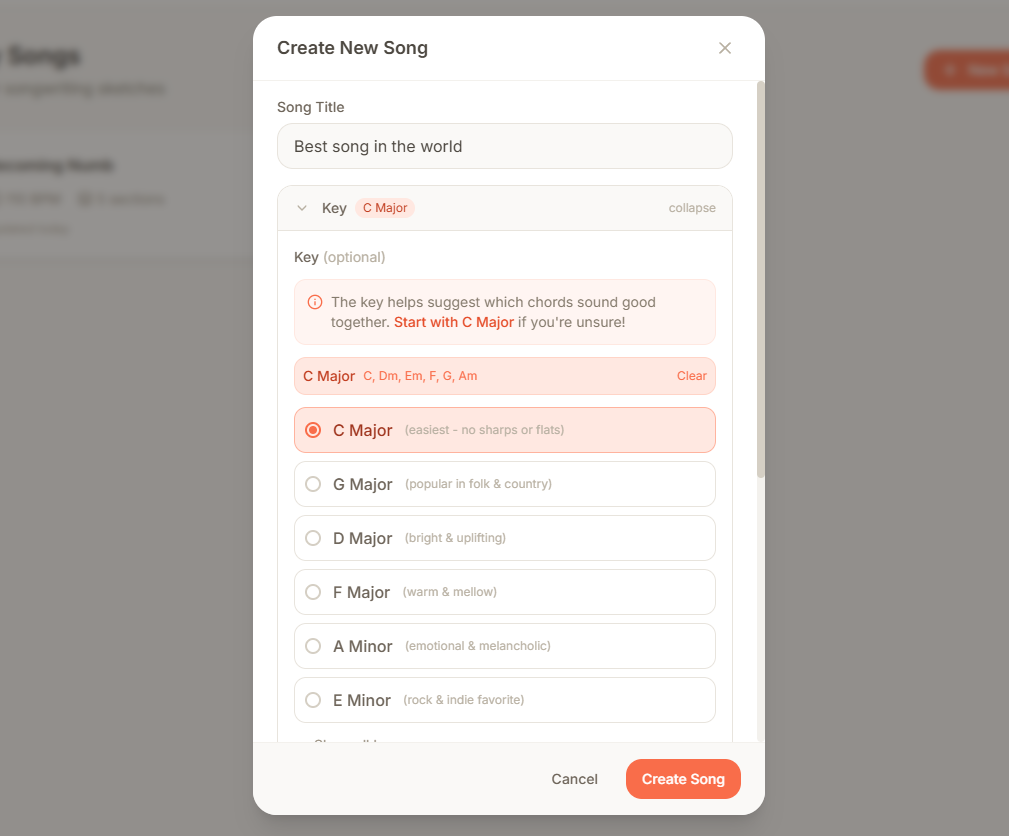
1. (optional) Pick a key
If you don't know where to start, pick a Key and the app will show you which notes work well together (if you want to try something unexpected, it won't limit you... that probably doesn't mean you should though).
2. Set Your Tempo and Chord progression
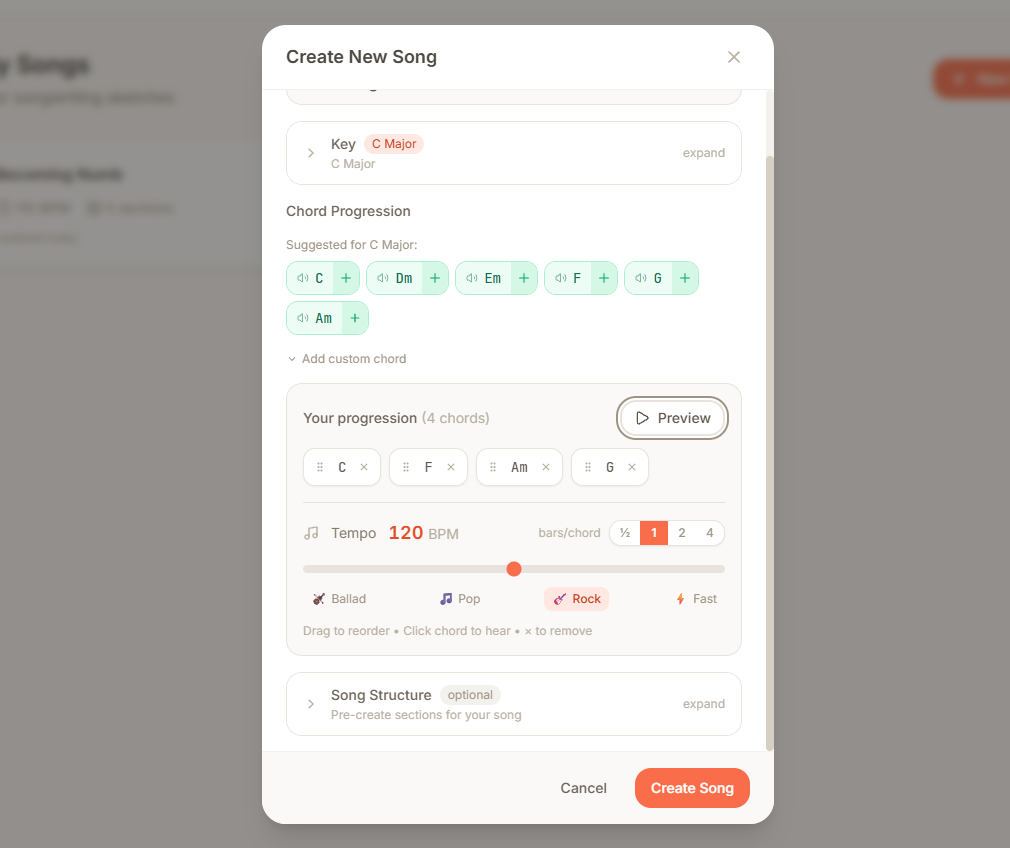
Pick a BPM that feels right. Since you picked a key, Melodoodle is suggesting safe chords, play around and find a progression that feels right. I really tried to simplify everything without sabotaging those of you that might like some customization.
Image Carousel
3. Create Your Song Structure
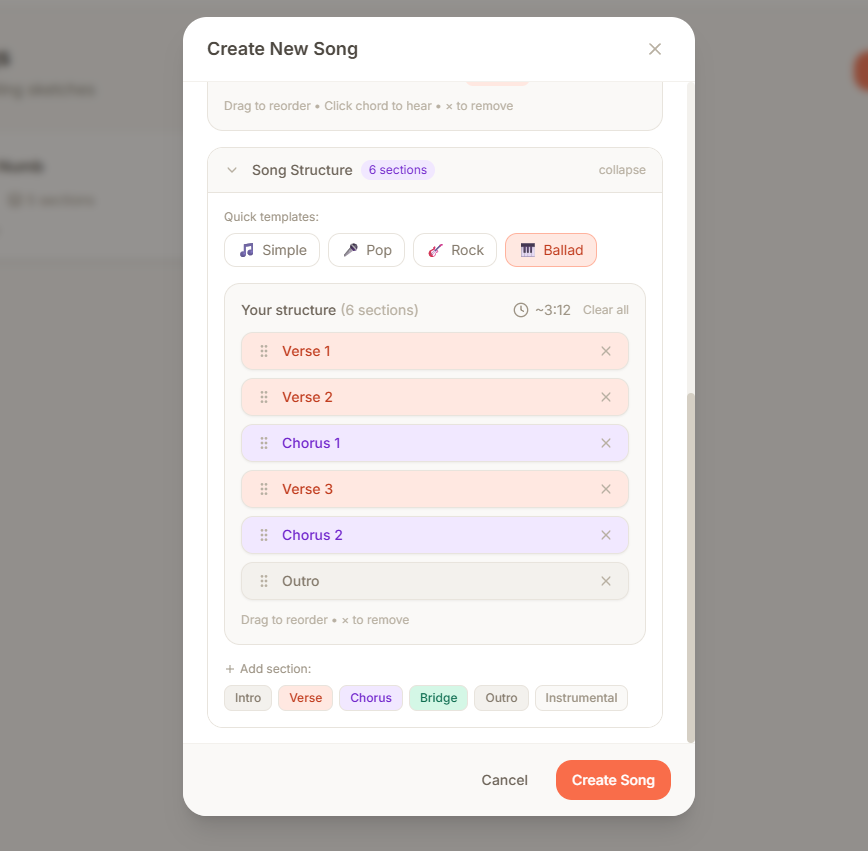
Start with a template (Verse-Chorus-Verse-Chorus-Bridge-Chorus) or build your own. Each section is independent, so you can perfect your chorus without touching anything else.
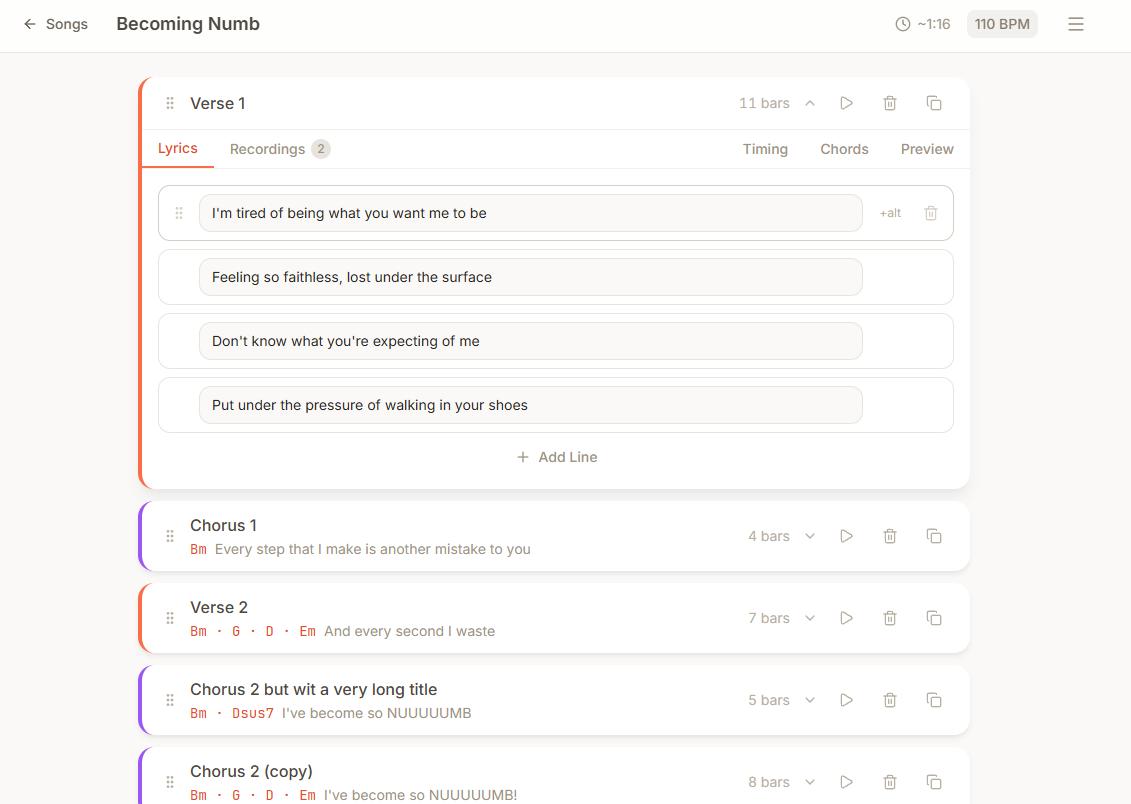
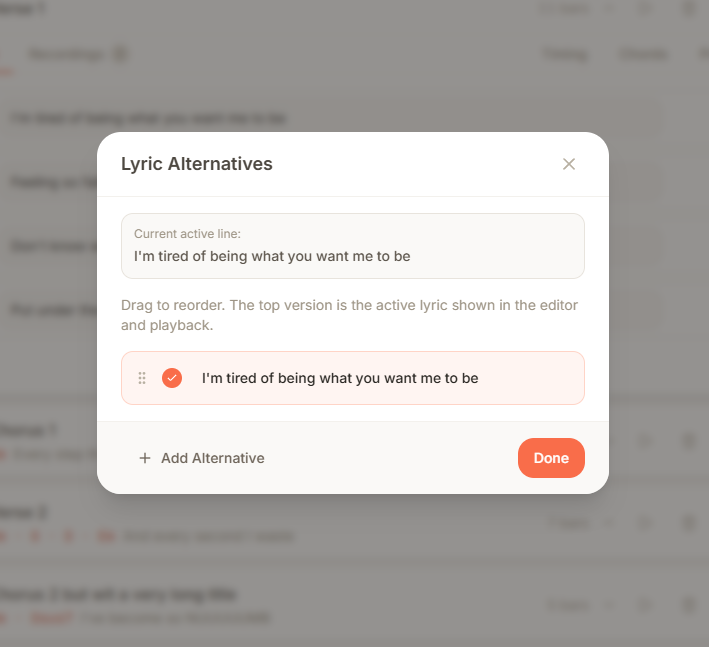
4. Write Your Lyrics
All the tabs here are connected. Write a line, but don't feel limited by it, add as many variations as you want. Only the one at the top will be used, but all of the others will be there.
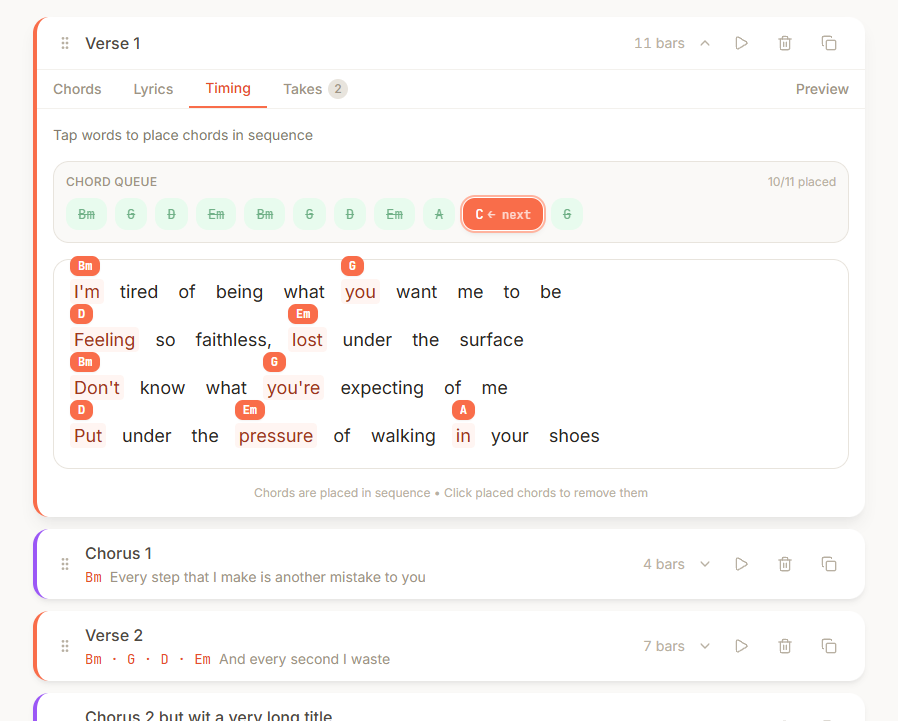
5. Time the chords
Set the stage for a reliable karaoke. If you're playing the guitar you might recognize this format.
6. Record Your Ideas
Hit record and sing over the chord progression. Don't like that take? Record another. Keep as many versions as you want. Only the one on top will be played.
You can record per section or the whole song. A full run will be cropped automatically into the sections.
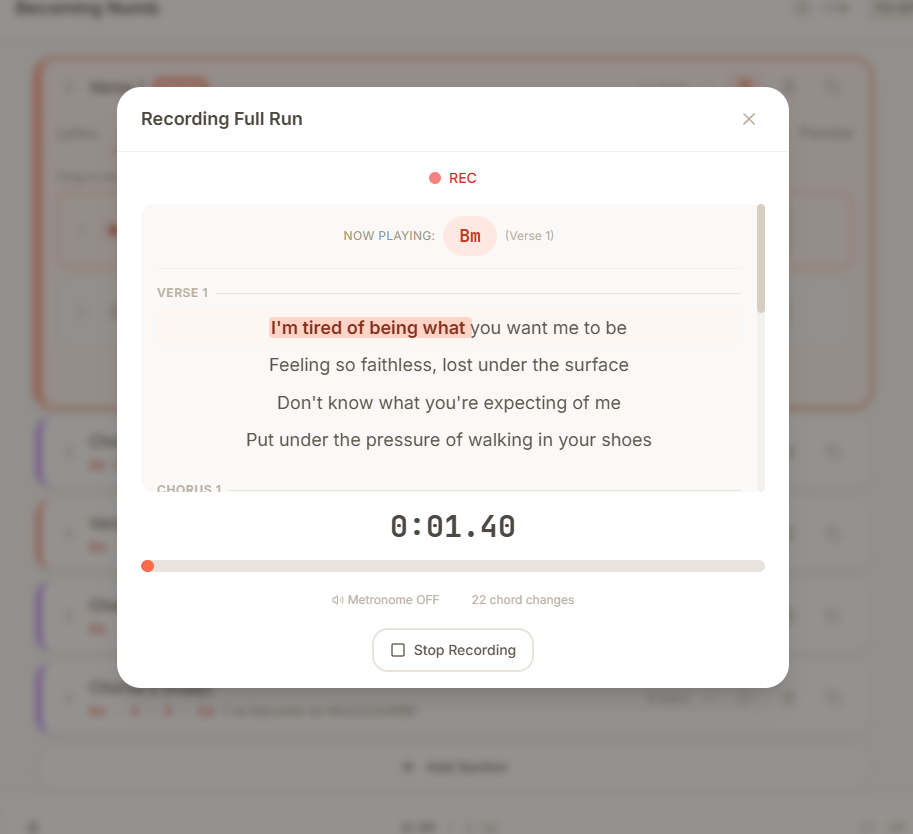
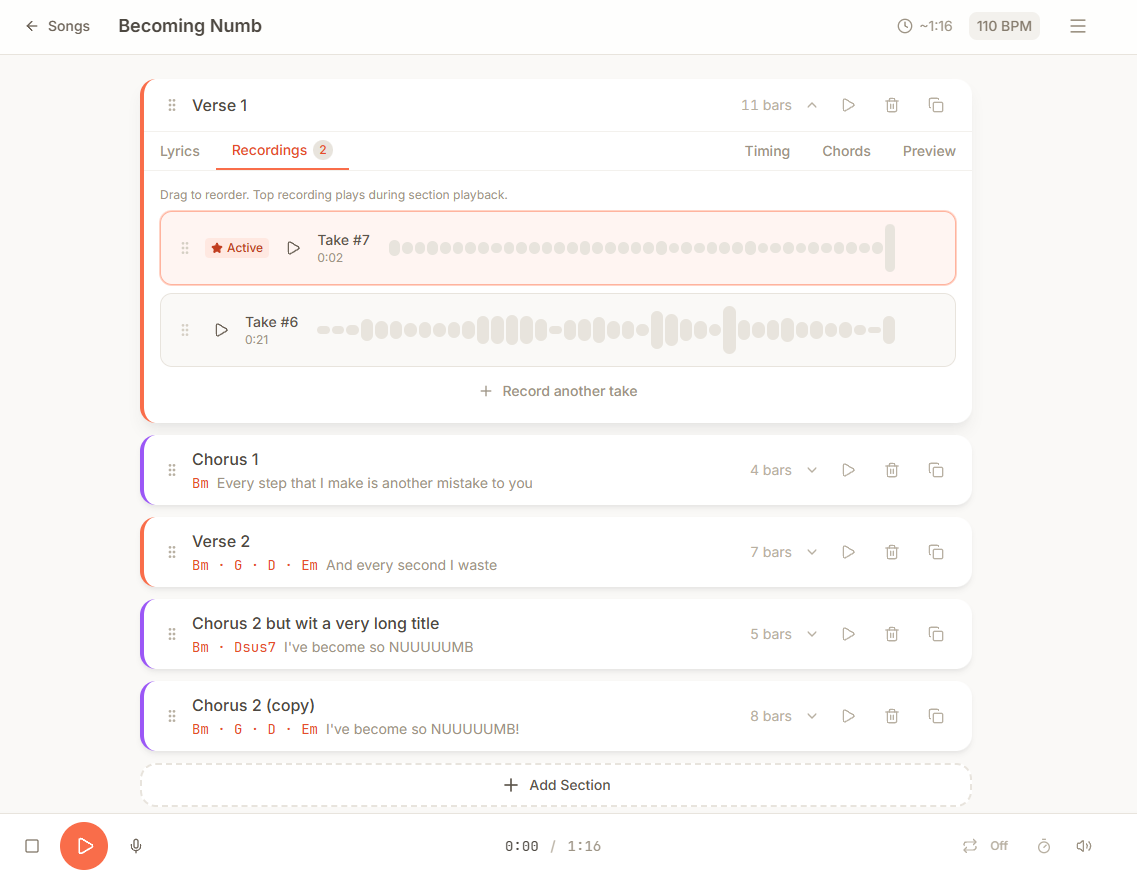
If you timed the chords correctly, the recording section will look like a karaoke
The Features That Actually Matter
Section-Based Workflow
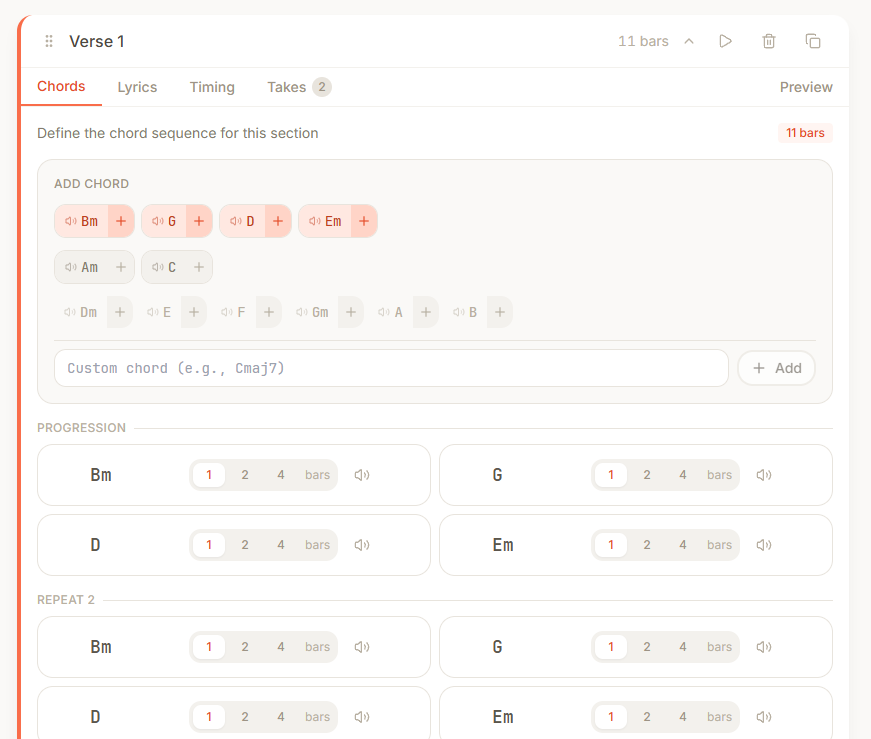
Work on your verse until it's perfect, then duplicate it. Your second verse now has the same chords and structure, ready for new lyrics. Change the final chorus slightly? Just edit that section.
The Scratchpad
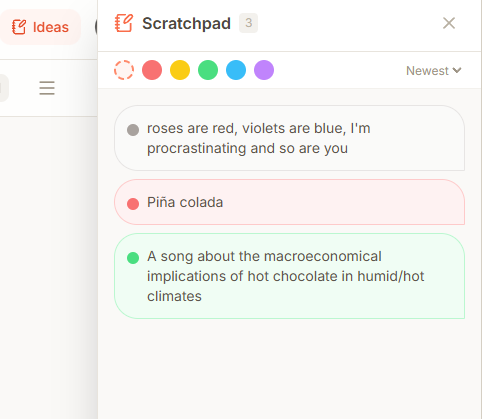
Random lyric idea while working on the chorus? Throw it in the scratchpad. Alternative chord progression? Scratchpad. It's your messy notebook, digitized.
Multiple Takes Per Section
Record your verse melody 10 different ways. Keep them all. Future you will thank present you when assembling the final version.
Export When Ready
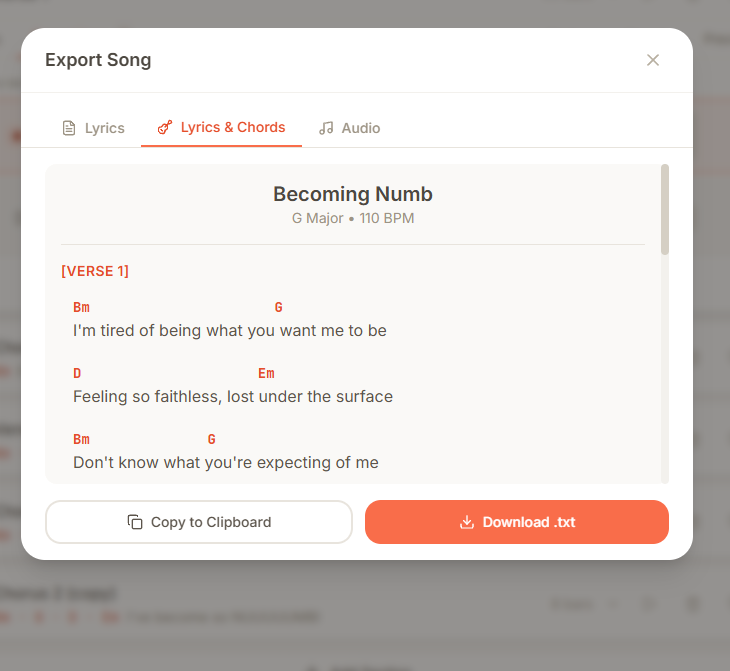
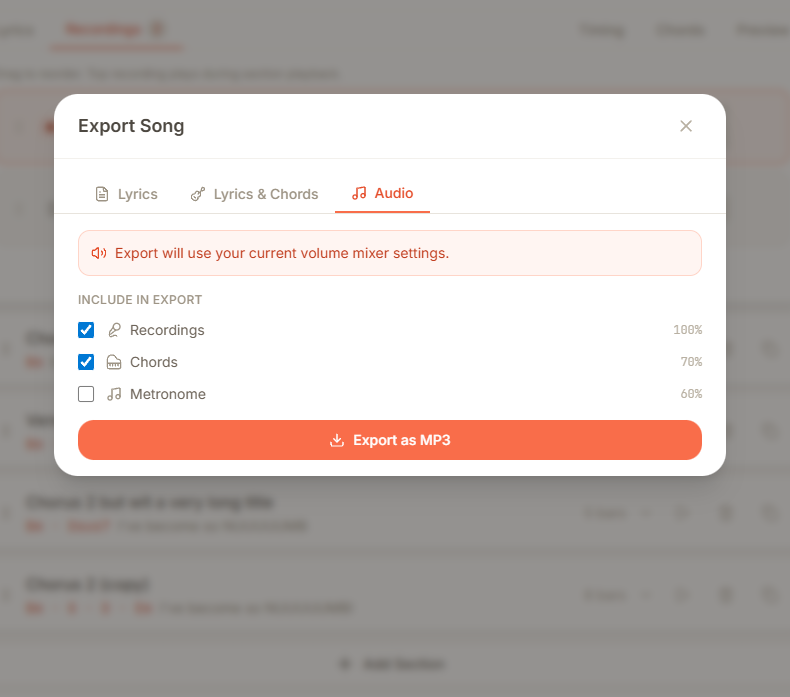
Export to MP3 with your recordings, metronome, and chord changes. Take it to your DAW or just play along with your guitar.
Image Carousel
Quick Tips for Better Songwriting
After using Melodoodle for my own songs, here's what works:
- Pick some chords you like, preferably on the mood you are right now.
- Use a existing structure, like pop/rock, change if you want it, doesn't really matter.
- After listening to the chord progression a few times, record a full run (mic icon next to the orange play button), mumble, just drop a word if you feel like it, it could become the foundation of that lyric section.
- Listen to you different versions of the chorus and verses, when you are ready, pick one and delete the copies, you can make the same structure but using the selected versions.
- Then iterate, come up with the lyrics, there's no perfect way here, stay on every section until you finish, you might even have better ideas for the surrounding sections when you have one completed.
Mobile tip: GET YOUR MOUTH CLOSE TO THE MICROPHONE, THERE'S ONLY SO MUCH NORMALIZATION I CAN DO!

What's Next
Melodoodle does one thing well: it captures song ideas without getting in your way. No subscriptions, no feature bloat, no AI-generated slop.
Is it perfect? Nope. Will it replace your DAW? Definitely not, they are not even competing in the same space. But if you're tired of not knowing how to start or losing song ideas to technicalities, give it a shot. I mean, it's free.
Find it on melodoodle.app If you find bugs (you probably will), there's a report button. If you make something cool with it, I'd love to hear about it.
Now stop reading and go write that song you want!

Pablo Dominguez
Full Stack Developer passionate about building interesting projects and learning new skills.